Phone Overheating Problem: Causes and Fixes
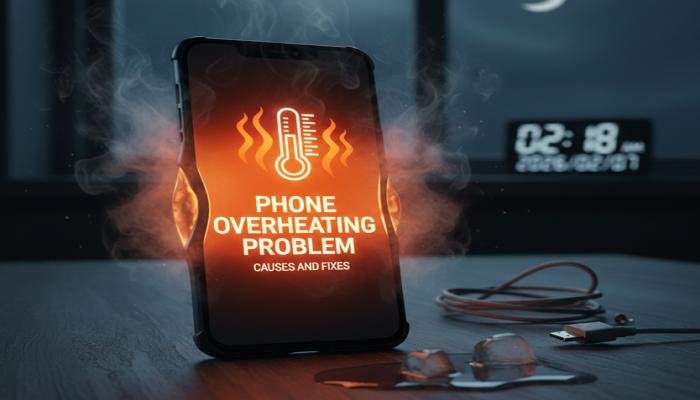
Smartphones have become an essential part of our daily lives. From communication and work to entertainment and navigation, we rely on them constantly. However, one common issue that frustrates many users is the phone overheating problem. When your phone becomes unusually hot, it not only affects performance but can also reduce battery life and cause long-term damage if ignored.
The phone overheating problem can happen to anyone, regardless of whether you use an Android or iPhone. Sometimes it occurs during gaming or video streaming, while other times it happens even when the phone is idle. Many users panic when they feel the heat, but the truth is that overheating usually has clear reasons and practical solutions.
In most cases, overheating is a warning sign. Your phone is telling you that something is putting extra pressure on its hardware or software. Understanding what causes this issue is the first step toward fixing it permanently. Ignoring it may lead to sudden shutdowns, battery swelling, or even data loss in extreme cases.
Another important point is that overheating does not always mean your phone is faulty. Environmental factors, usage habits, and background processes can all contribute to rising temperatures. Once you identify the real cause, the solution often becomes simple and cost-effective.
Why the Phone Overheating Problem Happens
Before jumping into solutions, it is important to understand why phones overheat in the first place. A smartphone is essentially a small computer packed into a tight space. When multiple processes run at the same time, heat builds up quickly.
Modern phones have safety systems that try to control temperature, but they can only do so much. If the pressure continues, the device heats up beyond normal levels. This is when you start noticing lag, battery drain, and warning messages.
Heavy Usage and Multitasking
One of the biggest causes of overheating is heavy usage. Playing graphic-intensive games, recording high-resolution videos, or running many apps at once puts a heavy load on the processor.
When your phone’s CPU and GPU work continuously, they generate heat. If this happens for a long time without a break, the temperature rises quickly. Multitasking makes the situation worse because several apps compete for system resources at the same time.
Environmental Factors and External Heat
Your surroundings play a major role in the phone overheating problem. Using your phone under direct sunlight, leaving it inside a parked car, or operating it in hot weather can cause overheating even if usage is minimal.
Phones are designed to operate within a specific temperature range. When external heat pushes the device beyond that range, internal cooling becomes less effective, leading to noticeable warmth.
Read More: nakrutka free like get real likes without any cost in 2026
Battery Issues and Charging Habits
Faulty batteries or poor charging habits are another common reason for overheating. Using low-quality chargers, damaged cables, or fast charging repeatedly can stress the battery.
Charging your phone while using heavy apps can also raise the temperature significantly. Batteries naturally generate heat while charging, and combining this with active usage makes the phone overheat faster.
Software Bugs and Background Apps
Sometimes the phone overheating problem has nothing to do with hardware. Software bugs, outdated operating systems, or poorly optimized apps can cause the processor to work harder than necessary.
Background apps that constantly sync data, track location, or run animations silently drain resources. Over time, this unnecessary activity raises the phone’s temperature without you realizing it.
Common Causes and Quick Fixes at a Glance
| Cause of Overheating | How It Affects the Phone | Quick Fix |
| Heavy gaming or streaming | High CPU and GPU usage | Take breaks, lower graphics |
| Hot environment | External heat buildup | Move to a cooler place |
| Poor charging habits | Battery stress | Use original charger |
| Background apps | Constant processor use | Close unused apps |
| Outdated software | Inefficient performance | Update the system |
Effective Fixes for the Phone Overheating Problem
Now that you know the causes, let’s focus on real solutions. Fixing the phone overheating problem usually requires small changes rather than expensive repairs.
Reduce App Load and Screen Usage
The simplest fix is to reduce how much pressure you put on your phone. Close unused apps running in the background and avoid switching rapidly between heavy applications.
Lowering screen brightness and reducing screen timeout can also help. The display consumes a significant amount of power and contributes to heat generation, especially on larger screens.
Avoid Using the Phone While Charging
Using your phone during charging is one of the fastest ways to cause overheating. The battery already produces heat while charging, and adding CPU usage on top of that increases temperature quickly.
If possible, let your phone charge without interruption. This not only prevents overheating but also improves long-term battery health.
Update Software and Apps Regularly
Manufacturers release updates to fix bugs, improve efficiency, and manage heat better. Running outdated software can keep your phone stuck with performance issues that cause overheating.
Make it a habit to update your operating system and apps. Removing apps you no longer use can also free up resources and reduce background activity.
Remove Thick Phone Cases
While phone cases protect against physical damage, thick or poorly ventilated cases can trap heat. During heavy usage or charging, removing the case can help the phone cool down faster.
If overheating happens often, consider using a case designed for heat dissipation instead of heavy protective covers.
Control Network and Connectivity Usage
Poor signal strength forces your phone to work harder to stay connected. This increases power consumption and heat. Switching to Wi-Fi in low-signal areas or turning off mobile data when not needed can help.
Similarly, turning off Bluetooth, GPS, and hotspot features when unused reduces unnecessary heat generation.
Long-Term Prevention Tips
Fixing the phone overheating problem once is good, but preventing it is even better. Small habits can make a big difference over time.
Avoid leaving your phone in hot places, limit continuous heavy usage, and monitor battery health regularly. Keeping storage space free also improves system efficiency and reduces overheating risks.
When Overheating Becomes a Serious Issue
Occasional warmth is normal, but constant overheating is not. If your phone shuts down frequently, shows temperature warnings, or becomes too hot to touch, it may indicate hardware damage.
In cases, a professional inspection is recommended. Replacing a damaged battery or fixing internal components early can prevent permanent device failure.
FAQs About Phone Overheating Problem
Q1: Why does my phone overheat even when I am not using it?
Ans: Background apps, system updates, or poor network signals can cause constant processor activity, leading to overheating.
Q2: Is the phone overheating problem dangerous?
Ans: Yes, prolonged overheating can damage internal components, reduce battery life, and in extreme cases cause safety risks.
Q3: Can fast charging cause phone overheating?
Ans: Fast charging generates more heat than standard charging, especially when combined with phone usage.
Q4: Does gaming always cause phone overheating problem?
Ans: Not always, but high-graphic games used for long periods significantly increase processor load and heat.
Q5: Can a phone case increase overheating?
Ans: Yes, thick or poorly ventilated cases can trap heat and prevent proper cooling.
Q6: How do I know if my phone battery is causing overheating?
Ans: Rapid battery drain, swelling, or heating during light use are signs of battery-related overheating.
Q7: Should I turn off my phone if it overheats?
Ans: Yes, turning it off and letting it cool down is one of the safest immediate actions.
Q8: Can software updates fix phone overheating problem?
Ans: In many cases, updates improve system efficiency and fix bugs that cause overheating.