Cool Gadgets That Make Everyday Life Easier, Smarter, and More Fun

Technology is changing the way we work, communicate, relax, and manage our homes. From wireless accessories that reduce cable clutter to smart devices that automate everyday tasks, the right technology can make ordinary routines more convenient. The best cool gadgets are not necessarily the most expensive or complicated products. They are the devices that solve real problems, save time, improve comfort, or make your favorite activities more enjoyable.
Whether you are a student, a remote worker, a frequent traveler, or someone who simply enjoys useful technology, there are plenty of options to consider. Some gadgets help you stay organized, while others improve entertainment, productivity, and home convenience. we will cover 12 practical tech gadgets, explain what makes them useful, and share tips for choosing devices that offer genuine value for your money.
What Makes a Gadget Worth Buying?
A gadget can look impressive in an advertisement but still be disappointing in everyday use. Before spending money, consider whether the device offers a meaningful benefit.
Read More: Gold Rate Today Hyderabad: 22K & 24K Gold Price Per Gram and 10g
Practical Features Matter More Than Hype
A useful gadget should solve a problem or make an existing task easier. For example, a Bluetooth tracker can help you locate frequently misplaced keys, while a portable power bank can keep your phone running during a long day away from home. Think about your daily routine. If you frequently attend online meetings, a comfortable headset may be more valuable than a novelty device with features you rarely use.
Value, Compatibility, and Reliability
Good technology should fit your existing devices and remain useful over time. Check compatibility with your phone, computer, operating system, charging standard, and home network before purchasing. Also consider battery life, warranty coverage, replacement accessories, software support, and repair options. A slightly more expensive product may provide better long-term value if it is reliable and supported by the manufacturer.
Cool Gadgets Worth Considering
Here are 12 categories of useful gadgets that can improve everyday life without requiring you to fill your home with unnecessary technology.
Smart Speakers and Voice Assistants
Smart speakers combine audio playback with voice-controlled features. Depending on the model and available services, you can use one to play music, set reminders, check the weather, manage timers, or control compatible smart home devices. They are particularly helpful in kitchens, bedrooms, and shared living spaces because you can perform simple tasks without reaching for your phone.
Before buying one, check whether it supports your preferred music services, language, smart home ecosystem, and regional features. Review its microphone settings and privacy controls, especially if you plan to place it in a private room.
Wireless Charging Stations
Wireless charging stations help reduce cable clutter by charging compatible devices from a single stand or charging pad. Some models support a phone, wireless earbuds, and a smartwatch simultaneously. This makes them useful for people who charge several devices overnight or want a tidier desk. Check the supported charging standards, device compatibility, maximum charging power, and whether the required power adapter is included. Wireless charging is convenient, but it may be slower than wired charging in some situations.
Bluetooth Item Trackers
Item trackers are small devices that help you find belongings such as keys, bags, or luggage. Depending on the product, they may connect directly to your phone or use a larger network of compatible devices to help locate an item. Some trackers play a sound when nearby, while others display the last reported location or support a compatible finding network. Choose a tracker that works with your phone’s operating system. Check battery replacement options, tracking range, subscription requirements, and unwanted-tracking protections. A tracker is especially useful for people who frequently misplace small items or travel with valuable bags.
Smart Plugs
Smart plugs can make certain ordinary electrical devices controllable through an app, a schedule, or a compatible voice assistant. For example, you might schedule a lamp to turn on in the evening or switch off a compatible device remotely. Some models also measure electricity consumption. However, a smart plug does not make every appliance intelligent. Devices that require a physical button press after receiving power may not work as expected. Always check the plug’s voltage, current rating, regional socket type, network requirements, and appliance compatibility. Never exceed its rated electrical load or use a standard indoor plug in an unsuitable environment.
Portable Power Banks
A portable power bank is one of the most practical gadgets for people who rely on their phones throughout the day. It provides additional battery capacity when you are commuting, traveling, attending classes, or spending time outdoors. Models vary in capacity, charging speed, size, and the number of supported ports.
When comparing power banks, consider capacity in milliamp-hours (mAh), USB-C Power Delivery support, output wattage, weight, and the number of devices you need to Charge. Remember that advertised capacity is not the same as the amount of energy delivered to your phone. Conversion losses and charging conditions affect actual performance. If you travel by air, check your airline’s rules for spare lithium batteries and power banks. Many airlines limit power banks to 100 watt-hours without special approval, but requirements can vary.
Wireless Earbuds
Wireless earbuds make listening to music, taking calls, and attending online meetings more convenient. Many models include touch controls, microphones, noise cancellation, and charging cases. Active noise cancellation can reduce certain background sounds, making it useful during commutes or in busy offices. However, its effectiveness varies by model and sound type. If you make frequent calls, check microphone quality and performance in noisy environments. Also consider fit, comfort, battery life, water resistance, and replacement options. For outdoor activities, maintain awareness of surrounding traffic and other hazards. Noise cancellation should not come at the expense of safety.
Smartwatches and Fitness Trackers
Wearable devices can help you monitor activity, check notifications, record workouts, and review sleep-related estimates. Some smartwatches also support contactless payments, navigation, emergency features, and selected phone functions. Fitness trackers tend to emphasize activity and battery life, although features vary considerably.
Choose a device that works with your phone and supports the activities you care about. If you mainly want step counts and basic workout tracking, a simple fitness band may offer better value than an expensive smartwatch. Remember that consumer wearables provide estimates, not perfect measurements or medical diagnoses.
Portable Bluetooth Speakers
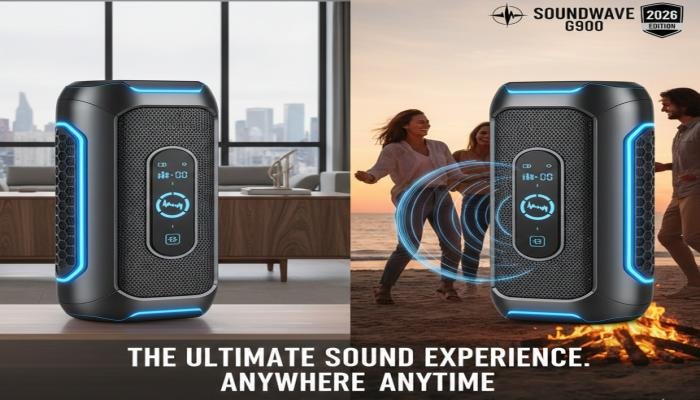
Portable Bluetooth speakers make it easy to enjoy music at home, on a picnic, or during a trip. A good model balances sound quality, battery life, portability, and durability. Some speakers are designed for compact travel, while larger models prioritize louder sound and stronger bass.
Check the water-resistance rating if you plan to use a speaker near a pool or outdoors.Water resistance does not automatically mean that a device can survive every type of immersion, and salt water may cause additional damage. Also consider charging time, Bluetooth range, and whether the speaker supports pairing with other compatible speakers.
Compact Projectors
Compact projectors can turn a blank wall or suitable screen into a larger viewing area for movies, presentations, and gaming. They are attractive to people who want a flexible entertainment setup without permanently mounting a television. Some models include built-in streaming features, speakers, and automatic image adjustment. Before purchasing one, compare brightness, resolution, throw distance, connectivity, fan noise, and supported streaming applications. Room lighting matters greatly. A projector that performs well in a dark bedroom may struggle in a bright living room. You should also check whether copyrighted streaming services work directly on the device or require an external streaming player.
Ergonomic Desk Gadgets

Small desk accessories can make working or studying more comfortable. Useful options include adjustable laptop stands, wireless keyboards, ergonomic mice, monitor lights, and USB-powered desk lamps. A laptop stand can raise the screen closer to eye level, while an external keyboard and mouse let you position your hands more comfortably.
The most effective setup depends on your body, desk height, work habits, and available space. Adjustable equipment is often more useful than accessories chosen solely for appearance. These devices may not seem as exciting as high-tech wearables, but they can deliver practical benefits every day.
E-Readers
E-readers are designed for digital reading and can store many books in a lightweight device. Many use electronic ink displays, which are designed to resemble printed paper and generally consume little power when the page is static. This makes dedicated e-readers appealing to frequent readers and travelers. Consider screen size, front lighting, storage, supported ebook formats, library access, and regional book availability. If you primarily read novels and other text-based books, an e-reader may be more comfortable and distraction-free than using a phone. If you frequently read colorful magazines or illustrated material, a tablet may be a better fit.
USB-C Hubs and Multiport Adapters
Modern laptops often have limited physical ports. A USB-C hub can expand connectivity by adding options such as USB-A, HDMI, Ethernet, memory card readers, and power pass-through. This gadget is particularly helpful for students, photographers, Remote workers, and people who connect their laptops to external monitors.
Not every USB-C port supports every feature. Some hubs require a laptop port that supports DisplayPort Alternate Mode or Thunderbolt for video output, while charging pass-through depends on the hub and power supply. Check supported display resolutions, refresh rates, data transfer speeds, and power limits before purchasing.
Comparing Cool Gadgets at a Glance
The right device depends on your routine, existing equipment, and budget. Use this table to compare common options before making a decision.
| Gadget | Main benefit | Best suited for | What to check |
| Smart speaker | Voice-controlled convenience | Home users | Privacy and ecosystem |
| Wireless charger | Less cable clutter | Multi-device owners | Charging compatibility |
| Bluetooth tracker | Finding misplaced items | Travelers and busy people | Phone compatibility |
| Smart plug | Scheduled power control | Smart home beginners | Electrical ratings |
| Power bank | Extra portable power | Commuters and travelers | Capacity and wattage |
| Wireless earbuds | Convenient audio | Students and professionals | Fit and microphone |
| Fitness tracker | Activity monitoring | Active users | Battery and phone support |
| Bluetooth speaker | Portable entertainment | Music lovers | Sound and durability |
| Mini projector | Large-screen viewing | Movie fans | Brightness and resolution |
| Desk accessories | Improved workstation setup | Remote workers | Adjustability |
| E-reader | Portable reading | Book lovers | Formats and library access |
| USB-C hub | Expanded connectivity | Laptop users | Port and display support |
How to Choose Cool Gadgets on a Budget
Buying useful technology does not require a large budget. A few practical steps can help you avoid unnecessary spending. Start with a real problem. Identify something that regularly frustrates you. If your phone battery runs out during the day, a reliable power bank may be a better purchase than a novelty electronic device. Set a spending limit. Decide how much you can comfortably spend before comparing products. Include accessories, shipping, replacement parts, and any recurring subscription fees.
Compare specifications carefully. Two gadgets may look similar but offer different battery life, charging speeds, durability, or compatibility. Focus on the features you will actually use. Check independent reviews. Look for consistent feedback about performance, reliability, and customer support. Reviews that include real-world testing are generally more informative than promotional descriptions alone.
Consider the total cost of ownership. A low-priced device may require proprietary accessories or a paid subscription. A slightly more expensive alternative may be cheaper to maintain. Buy from reputable sellers. Check the return policy, warranty, authenticity, and availability of after-sales service. This is especially important for chargers, batteries, and connected devices.
Cool Gadgets for Different Lifestyles
Not every gadget suits every person. Matching a product to your routine is one of the easiest ways to get better value.
- For students: Consider a power bank, wireless earbuds, a laptop stand, and a USB-C hub. These can support studying, online classes, and campus life.
- For office workers: A comfortable keyboard, ergonomic mouse, wireless charger, and quality headset can improve a daily workstation.
- For travelers: A compact power bank, Bluetooth tracker, travel adapter, and portable speaker can make trips more convenient. Check local electrical standards and airline restrictions.
- For smart home beginners: Start with a compatible smart plug or smart speaker. Add other devices only when they offer a clear benefit.
- For fitness enthusiasts: A fitness tracker or smartwatch may help record workouts and encourage consistent activity.
- For entertainment lovers: Wireless headphones, a Bluetooth speaker, or a compact projector can improve your listening and viewing experience.
- For readers: A dedicated e-reader may provide a lightweight way to carry a personal library.
How to Maintain Your Gadgets for Longer Use

Proper care can help your gadgets remain reliable and reduce unnecessary replacement costs.
- Keep devices clean and follow the manufacturer’s cleaning instructions.
- Use compatible chargers, cables, and power adapters.
- Avoid exposing electronics to excessive heat, moisture, or direct sunlight for extended periods.
- Install software and security updates when available.
- Store portable devices safely when traveling.
- Follow the manufacturer’s battery care recommendations.
- Replace damaged charging cables and stop using batteries that appear swollen or damaged.
- Check warranty terms before attempting repairs.
Are Cool Gadgets Worth the Money?
cool gadgets can be worth the money when their benefits justify their cost. A good power bank can reduce the inconvenience of a dying phone battery. A well-designed desk accessory can make a workstation more comfortable. A Bluetooth tracker may save time when you frequently misplace your belongings. However, some gadgets offer little practical value after the excitement of buying them fades. Before purchasing, ask yourself three questions:
- Will I use this device regularly?
- Does it solve a genuine problem or improve an activity I enjoy?
- Is its price reasonable compared with the benefits and alternatives?
Final Thoughts
The world of cool gadgets offers plenty of ways to make everyday life more convenient, productive, and enjoyable. From portable chargers and wireless earbuds to smart home accessories and compact projectors, the right devices can solve small problems that add up over time.
The smartest approach is to focus on usefulness rather than trends. Think about your daily habits, identify the tasks you want to improve, and compare products based on quality, compatibility, reliability, and price.
You do not need to buy every new device that catches your attention. Start with one gadget that addresses a genuine need, see how well it fits your routine, and add more technology only when it provides meaningful value. Ultimately, the best cool gadgets are the ones you use regularly, trust to perform well, and feel good about purchasing. Choose carefully, maintain your devices, and let technology work for you rather than becoming another source of clutter.
FAQs About Cool Gadgets
Q1: What are cool gadgets?
Ans: Cool gadgets are useful, innovative, or entertaining devices designed to make everyday activities easier or more enjoyable. Examples include wireless earbuds, smart speakers, portable power banks, Bluetooth trackers, and smart home accessories.
Q2: What are the best cool gadgets for everyday use?
Ans: Some of the most practical options include a portable power bank, wireless earbuds, a wireless charging station, a Bluetooth tracker, and a USB-C hub. The best choice depends on your daily routine and the devices you already own.
Q3: Are there affordable cool gadgets worth buying?
Ans: Yes. Phone stands, cable organizers, basic Bluetooth trackers, compact power banks, and simple desk accessories can be affordable and useful. Compare product quality, compatibility, warranty coverage, and total cost before buying.
Q4: Which cool gadgets are best for students?
Ans: Students may benefit from wireless earbuds, laptop stands, USB-C hubs, portable chargers, and e-readers. These devices can support studying, online classes, reading, and working on assignments.
Q5: What are the best cool gadgets for home use?
Ans: Smart plugs, smart speakers, wireless charging stations, Bluetooth speakers, and compact projectors are popular options for home use. Check compatibility, safety ratings, and privacy features before purchasing connected devices.
Q6: How do I choose reliable tech gadgets?
Ans: Compare specifications, read independent reviews, check compatibility with your existing devices, and purchase from reputable sellers. Look for a clear warranty, reasonable return policy, dependable customer support, and appropriate safety certifications.
Q7: Are smart gadgets safe to use?
Ans: Most properly designed gadgets can be used safely when installed and maintained according to the manufacturer’s instructions. Use compatible chargers, follow electrical ratings, install security updates, and review the privacy settings of connected devices.
Q8: What cool gadgets make good gifts?
Ans: Wireless earbuds, portable speakers, e-readers, charging stations, and Bluetooth trackers can make useful gifts. Choose a device based on the recipient’s interests, phone compatibility, lifestyle, and budget.