Instagram Downloader: Save Instagram Videos, Reels & Photos Easily
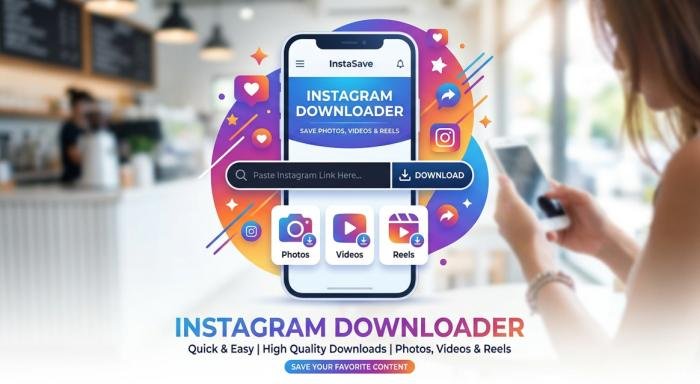
An Instagram downloader is a website, application, or online service designed to help users save publicly available Instagram content to their devices. Depending on the tool, this may include Instagram videos, Reels, photos, or other public media. Instagram is built primarily for viewing and sharing content within its platform. However, there are times when users may want an offline copy of a public post.
For example, someone may want to keep a recipe video for personal reference, save an inspiring Reel, or store a photo they have permission to use. An Instagram downloader generally works by processing the URL of an Instagram post. Instead of manually recording the screen, the user provides the post link to the downloader, and the service attempts to provide the available media file for saving.
Read More: Mega famous instagram followers likes views free Guide
How Instagram Downloaders Work
Most browser-based Instagram downloaders follow a simple process. First, the user copies the URL of an eligible Instagram post, Reel, or video. The URL is then pasted into the downloader’s input field. The service processes the address and attempts to identify the associated public media.
If the content is available and supported, the service may provide a download option. Video files are commonly offered in a standard format such as MP4, while photos may be saved as image files. The exact process varies between services. Some tools may support only public posts, while others may have restrictions based on Instagram changes, content type, or technical limitations.
What Content Can You Save?
The capabilities of an Instagram video downloader depend on the service. Commonly supported content includes:
| Instagram Content | Typical Download Support | Common Use |
| Public videos | Often supported | Offline personal viewing |
| Public Reels | Often supported | Personal reference |
| Public photos | Often supported | Personal archives |
| Public carousel media | Varies | Saving selected public media |
| Private posts | Usually unavailable | Restricted content |
| Stories | Varies by service | Only where legitimately accessible |
How to Use an Instagram Downloader
Using a browser-based downloader is usually straightforward.
Step 1: Copy the Instagram Link
Open Instagram and locate the public post, Reel, or video you want to save. Use Instagram’s sharing options to copy the link to that specific piece of content. Make sure you have permission to save or use the content when permission is required.
Step 2: Paste the Link
Open your chosen Instagram downloader and paste the copied URL into its input box. Before continuing, check that the website address is correct. Avoid websites that immediately request your Instagram username, password, payment information, or other unnecessary personal information.
Step 3: Download the Media
After the link has been processed, the service may display a download button or available media options. Select the appropriate option and save the file to your device. Depending on your browser and operating system, the file may appear in your Downloads folder, Photos app, or another selected location. If the download does not work, check that the original Instagram post is still public and available.
Instagram Downloader on Mobile
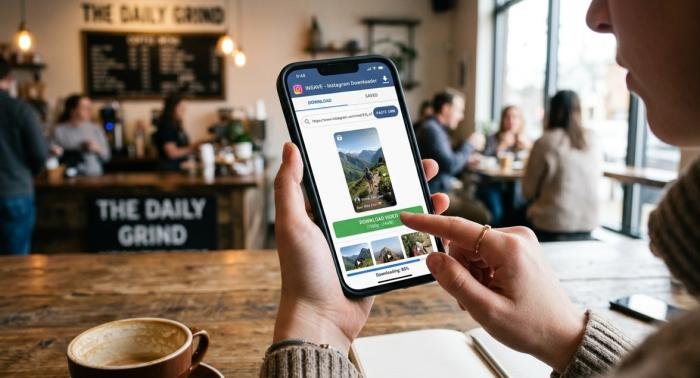
Many people search for an Instagram downloader for mobile because they want to save content directly to an Android phone or iPhone.
Android: On Android, a browser-based Instagram downloader can often be used without installing additional software. Copy the Instagram URL, open the downloader in your browser, paste the link, and follow the site’s download instructions. Downloaded videos commonly appear in the Downloads folder or a media application, depending on the browser and device settings. Be careful with websites that repeatedly open new tabs or ask you to install unfamiliar applications. A simple browser-based task should not normally require extensive permissions.
iPhone: On iPhone, the process can differ slightly because iOS manages downloaded files and media more tightly. After processing a public Instagram URL, the downloaded file may initially be stored in the Files app or Downloads folder. From there, users can organize the file or move supported media into another location. Avoid downloading configuration profiles, unknown applications, or files that are unrelated to the content you intended to save.
Instagram Downloader on PC
A desktop computer can be convenient when saving content for personal reference, especially when working with several files. The basic process is similar: open Instagram in a browser, copy the URL of the public content, open a reputable downloader, paste the URL, and download the resulting file.
A larger screen also makes it easier to check the original post, confirm the account, and verify that you are saving the intended content. If you plan to use downloaded material in a commercial project, don’t assume that downloading it gives you permission to republish it. Downloading and having the right to reuse content are two different things.
What Makes a Good Instagram Downloader?
Not every downloader website offers the same experience. Several factors can help you judge whether a service is worth using.
Simple Interface: A good downloader should make the basic process easy to understand. You should not have to complete unrelated surveys, install multiple programs, or navigate through confusing pages just to process a public URL.
Privacy and Security: Privacy should be a priority. Avoid services that request your Instagram password when it is not necessary.
Also pay attention to aggressive pop-ups, suspicious redirects, fake download buttons, and requests for unnecessary personal information.
Good Download Quality: If a service supports multiple quality options, it can be useful to choose the format or resolution appropriate for your needs. Keep in mind that a downloader generally cannot provide better quality than the source media available to it.
Mobile and Desktop Compatibility: A useful Instagram downloader should work reasonably well on common browsers and devices. Responsive design is particularly important for people using smartphones.
Is Using an Instagram Downloader Safe?
An Instagram downloader itself is not automatically safe or unsafe. Safety depends heavily on the specific service and how you use it. One of the simplest precautions is to avoid giving your Instagram login credentials to a third-party downloader. Public content can generally be processed through a URL without requiring your password.
You should also be cautious with browser notifications, unexpected software downloads, and websites that imitate familiar brands. If a page asks you to disable security protections or install an unknown extension, consider leaving the site. Keep your browser, operating system, and security software updated. These basic habits reduce risks when visiting unfamiliar websites.
Copyright and Responsible Use

Downloading a public Instagram video or photo does not automatically give you ownership of that content. Photos, videos, artwork, music, and other creative works may be protected by copyright. The original creator may also have specific terms regarding how their work can be reused.
Personal offline viewing is different from uploading someone else’s video to your own account, using their photo in advertising, or distributing their work commercially. If you intend to republish or commercially use downloaded material, obtain appropriate permission or make sure you have a valid legal basis for doing so.
Giving credit is a good practice, but credit alone does not necessarily replace permission. The safest approach is to use downloaded content for legitimate personal purposes or content for which you have permission to save and reuse.
Common Problems With Instagram Downloaders
Even a reputable Instagram downloader online may occasionally fail. Instagram’s platform changes, content restrictions, and technical updates can affect third-party tools.
Invalid Links: A downloader may reject a URL if it is incomplete, incorrectly copied, or no longer points to an active post. Try copying the link again directly from Instagram.
Private Accounts: Many third-party downloaders cannot process private posts. This is expected because private content is protected by account-level access restrictions. Do not attempt to circumvent those restrictions.
Removed Posts: If the original Instagram content has been deleted, archived, or otherwise become unavailable, a downloader may not be able to retrieve it.
Download Errors: Temporary technical problems can occur. If one downloader fails, the issue may be caused by the service, the Instagram URL, your browser, or changes to Instagram’s systems.
Tips for Using Instagram Downloaders Safely
A few simple habits can make the process safer and more responsible:
Use public content only when appropriate.
Never share your Instagram password with an unnecessary third-party downloader.
Check the URL before entering it into a website.
Avoid suspicious pop-ups and fake download buttons.
Do not install unknown applications or browser extensions just to save a single file.
Respect copyright and creator rights.
Don’t bypass private-account restrictions.
Scan unfamiliar downloaded files when appropriate.
Use downloaded content according to the creator’s permissions.
Keep your browser and device security features enabled.
Final Thoughts
An Instagram downloader can be a convenient way to save eligible public photos, videos, and Reels for personal reference or offline viewing. The basic process is usually simple: copy a public Instagram URL, paste it into a suitable downloader, and save the available media.
However, convenience should not come at the expense of privacy or responsible content use. Choose services carefully, avoid sharing account credentials, be cautious about suspicious downloads, and respect private content and copyright.
Most importantly, remember that saving a file and having permission to reuse that file are not the same thing. When you respect creators and use downloaded material responsibly, an Instagram downloader can remain a practical tool rather than creating unnecessary privacy, security, or copyright problems.
FAQs
Q1: What is an Instagram downloader?
Ans: An Instagram downloader is a website, app, or service that can help save eligible public Instagram photos, videos, or Reels to a device.
Q2: Can I download Instagram Reels?
Ans: Many Instagram downloader services support public Reels. Availability can vary depending on the service and Instagram’s current technical restrictions.
Q3: Can I use an Instagram downloader without installing an app?
Ans: Yes. Many browser-based services are designed to process a public Instagram URL without requiring an additional application.
Q4: Is an Instagram downloader safe to use?
Ans: Safety depends on the service. Avoid websites that request your Instagram password, force unfamiliar software installations, or display suspicious redirects and download buttons.
Q5: Can I download videos from private Instagram accounts?
Ans: Third-party downloaders generally cannot legitimately access private content without appropriate access. Private-account restrictions should not be bypassed.
Q6: Can I download Instagram photos to my phone?
Ans: Some Instagram downloader services support public photos. On mobile devices, the resulting file may be saved through the browser’s Downloads or Files system.
Q7: Can I use downloaded Instagram videos on my own social media account?
Ans: Downloading a video does not automatically give you permission to republish it. Check copyright, creator permissions, licensing, and applicable laws before reusing someone else’s content.